

How To Create Dynamic Pivot Table In Sql Server
In this article, we will explain how to Convert Rows To Columns In SQL Server Using Dynamic Pivot step by step.
Applies To
- SQL Server 2017.
- SQL Server 2016.
- SQL Server 2012.
- SQL Server 2008.
- 1 Using Dynamic Pivot to Convert Rows To Columns In SQL Server
- 2 How to Convert Rows To Columns In SQL?
- 2.1 Get a list of the Field Values (Rows)
- 2.2 Get a list of the Fields (Columns)
- 2.3 Build the Dynamic Pivot Table Query
- 2.4 Download Final Pivot Query to Convert Rows To Columns In SQL
- 2.4.1 References
You might also like to read Dynamic pivot without aggregate function in SQL Server
Using Dynamic Pivot to Convert Rows To Columns In SQL Server
We have decided to build a dynamic database by creating only three tables as shown below:

- The " Tables " will be used to hold the table names like Users, Products….etc.

- The " Fields " will be used to hold the fields name related to each table.

- The " Field Value " will be used to hold the value of each field.

- The relationship between the three tables is one-many and the ERD looks like the below:

The desired data should look like:
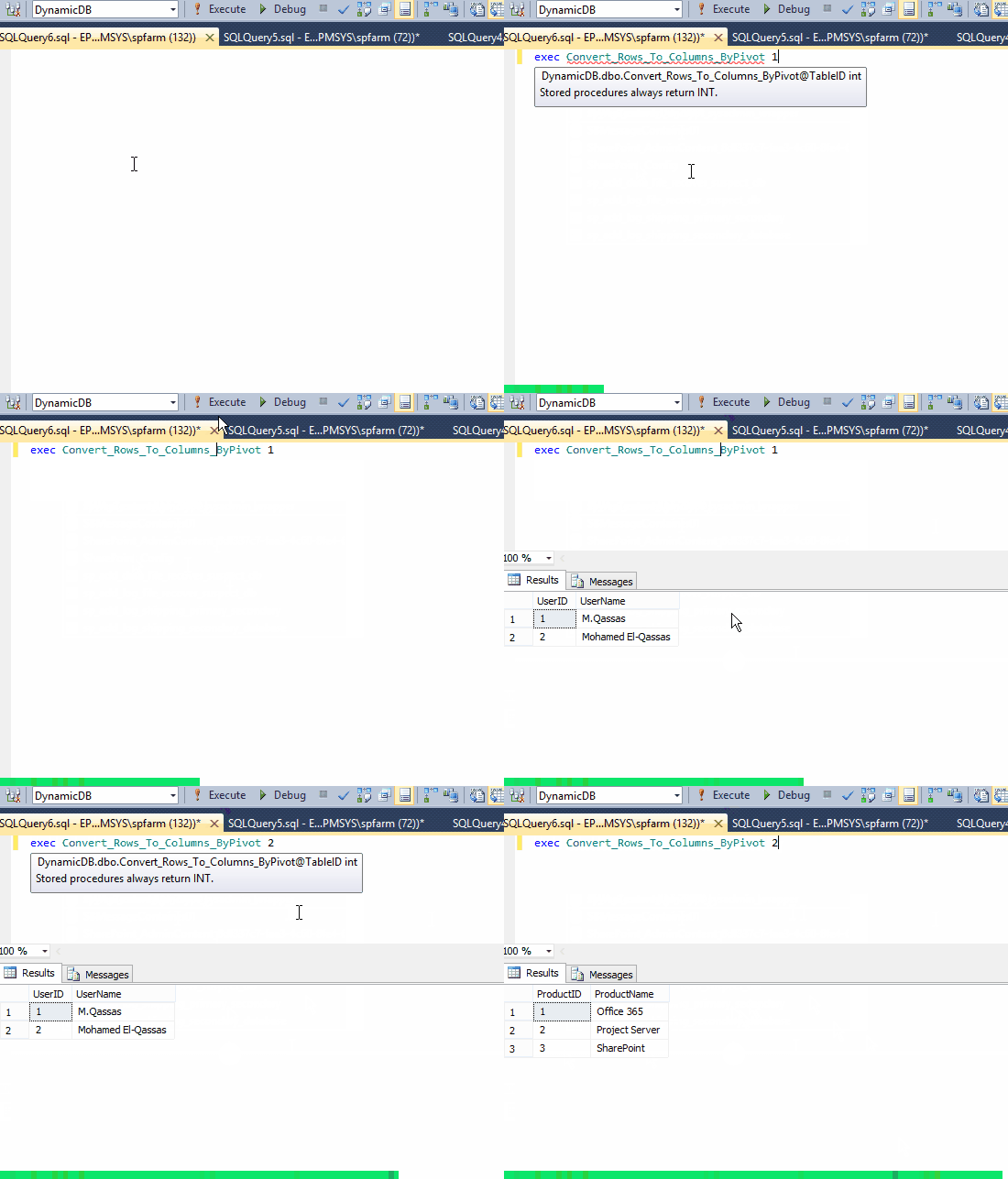
PIVOTrotates a table-valued expression by turning the unique values from one column in the expression into multiple columns in the output and performs aggregations where they are required on any remaining column values that are wanted in the final output.
How to Convert Rows To Columns In SQL?
To Convert Rows To Columns In SQL, we will go through the following steps:
- Get a list of the Field Values (Rows).
- Get a list of the Fields (Columns).
- Build the Dynamic Pivot Table Query
Get a list of the Field Values (Rows)
In this section, we will get a list of "field values" that should be shown as rows by doing the following:
Steps
- Create a table " data-query " that will hold the field data values.
BEGIN try DROP TABLE ##dataquery END try BEGIN catch END catch CREATE TABLE ##dataquery ( id INT NOT NULL, tablename VARCHAR(50) NOT NULL, fieldname VARCHAR(50) NOT NULL, fieldvalue VARCHAR(50) NOT NULL ); - Query the field values data filtered by " TableID " and insert the output into the created table in the above step.
INSERT INTO ##dataquery SELECT Row_number() OVER ( partition BY (fields.fieldname) ORDER BY fieldvalue.fieldvalue) ID, tables.tablename, fields.fieldname, fieldvalue.fieldvalue FROM tables INNER JOIN fields ON tables.tid = fields.tid INNER JOIN fieldvalue ON fields.fid = fieldvalue.fid WHERE tables.tid = @TableID Output

Get a list of the Fields (Columns)
In this section, we will retrieve the list of the fields filtered by "TableID" by using the below SQL statement.
DECLARE @DynamicColumns AS VARCHAR(max) SELECT @DynamicColumns = COALESCE(@DynamicColumns + ', ', '') + Quotename(fieldname) FROM (SELECT DISTINCT fieldname FROM fields WHERE fields.tid = @TableID) AS FieldList COALESCE: Evaluates the arguments in order and returns the current value of the first expression that initially does not evaluate to NULL.
Quotename: Returns a Unicode string with the delimiters added to make the input string a valid SQL Server delimited identifier.Build the Dynamic Pivot Table Query
Build the Dynamic Pivot Table Query
In this section, we will combine the above two queries to can build our Dynamic Pivot
DECLARE @FinalTableStruct AS NVARCHAR(max) SET @FinalTableStruct = 'SELECT ' + @DynamicColumns + ' from ##DataQuery x pivot ( max( FieldValue ) for FieldName in (' + @DynamicColumns + ') ) p ' EXECUTE(@FinalTableStruct) Output

Download Final Pivot Query to Convert Rows To Columns In SQL
Finally, the Dynamic Pivot Script should look like
DECLARE @TableID AS INT SET @TableID=1 -- Set Table ID -- Get a list of the "Field Value" (Rows) BEGIN try DROP TABLE ##dataquery END try BEGIN catch END catch CREATE TABLE ##dataquery ( id INT NOT NULL, tablename VARCHAR(50) NOT NULL, fieldname VARCHAR(50) NOT NULL, fieldvalue VARCHAR(50) NOT NULL ); INSERT INTO ##dataquery SELECT Row_number() OVER ( partition BY (fields.fieldname) ORDER BY fieldvalue.fieldvalue) ID, tables.tablename, fields.fieldname, fieldvalue.fieldvalue FROM tables INNER JOIN fields ON tables.tid = fields.tid INNER JOIN fieldvalue ON fields.fid = fieldvalue.fid WHERE tables.tid = @TableID --Get a list of the "Fields" (Columns) DECLARE @DynamicColumns AS VARCHAR(max) SELECT @DynamicColumns = COALESCE(@DynamicColumns + ', ', '') + Quotename(fieldname) FROM (SELECT DISTINCT fieldname FROM fields WHERE fields.tid = @TableID) AS FieldList --Build the Dynamic Pivot Table Query DECLARE @FinalTableStruct AS NVARCHAR(max) SET @FinalTableStruct = 'SELECT ' + @DynamicColumns + ' from ##DataQuery x pivot ( max( FieldValue ) for FieldName in (' + @DynamicColumns + ') ) p ' EXECUTE(@FinalTableStruct) Output

Download the database structure and the final query to convert rows to columns in SQL from GitHub at Convert rows to columns using pivot in SQL or from TechNet Gallary.
See Also
- Dynamic pivot without aggregate function in SQL Server.
- SQL select xml node value
References
Credit to me at SQL Script: Convert Rows To Columns Using Dynamic Pivot In SQL Server
How To Create Dynamic Pivot Table In Sql Server
Source: https://spgeeks.devoworx.com/convert-rows-to-columns-in-sql-using-pivot/
Posted by: ruddmyris1978.blogspot.com
0 Response to "How To Create Dynamic Pivot Table In Sql Server"
Post a Comment